资源
原文
代码
官网
数据集
| Lanuages | Num of Images | Num of Text | Baidu Drive | Google Drive |
|---|---|---|---|---|
| English/Latin | 72.8 万 | ~20M | Link password: 2h8d | Link |
| Multilingual | 67.4 万 | ~18M | Link password: tddl | Link |
Multilingual 多语言版本包含 10 种语言:阿拉伯语,英语,法语,中文,德语,韩语,日语,意大利语,孟加拉语,印地语
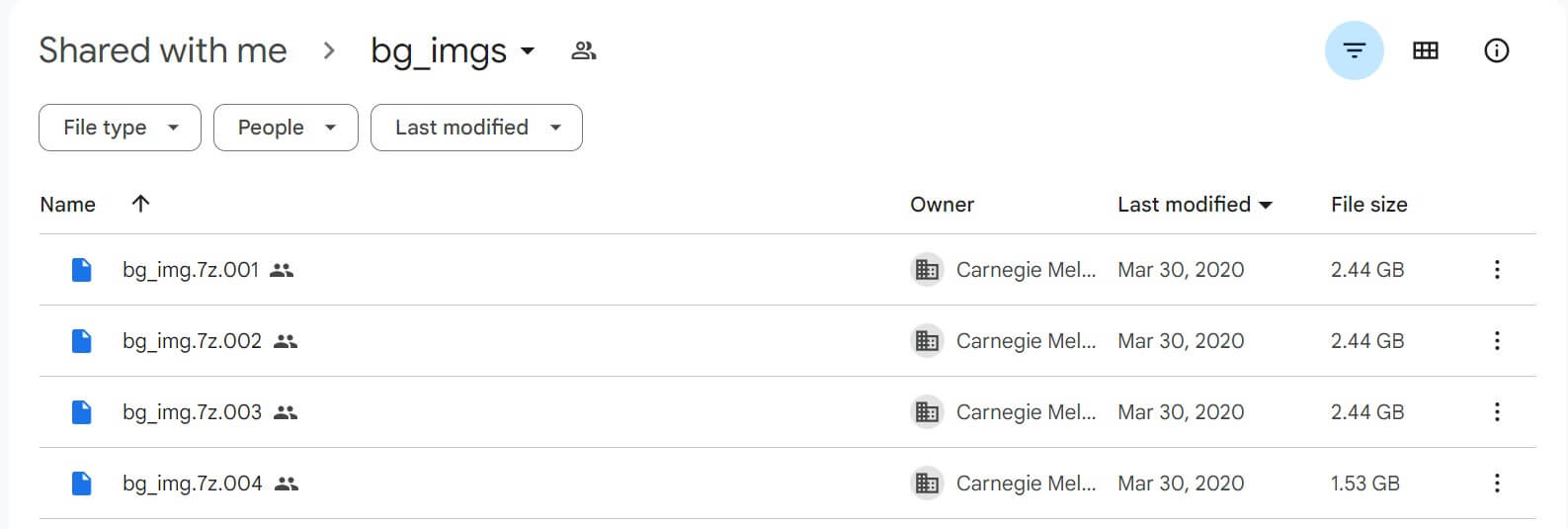
这两个数据集大概有 150 GB 左右,所以把它拆成了 130 个左右的文件,它们的组织方式如下:
./
+---sub_0
    +---imgs
    |   0.jpg
    |   1.jpg
    |   ...
    |
    +---labels
    |   0.json
    |   1.json
    |   ...
    |
+---sub_1
+---sub_2
+---sub_3
...
+---sub_100
...
标签按以下格式存储:
{
    "imgfile":str path to the corresponding image file, e.g. "imgs/0.jpg",
    "bbox": List[
                word_i(8 float):[x0, y0, x1, y1, x2, y2, x3, x4]
                (from upper left corner, clockwise),
            ],
    "cbox": List[
                char_i(8 float):[x0, y0, x1, y1, x2, y2, x3, x4]
                (from upper left corner, clockwise),
            ],
    "text": List[str]
}
举例:
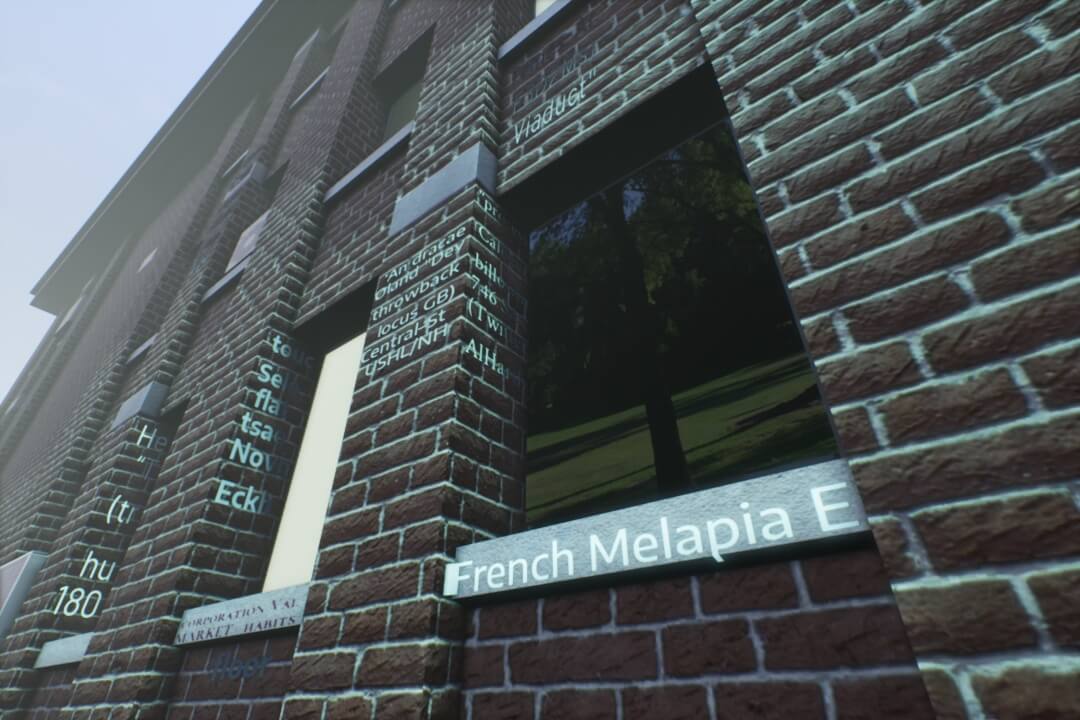
{
    "imgfile": "imgs/54.jpg",
    "bbox": [[478, 188, 526, 234, 526, 248, 477, 203], [479, 223, 527, 265, 526, 281, 477, 239], [474, 251, 527, 295, 527, 307, 473, 264],

......

, [590, 532, 781, 492, 799, 547, 598, 579], [809, 489, 844, 482, 860, 524, 823, 530], [214, 652, 274, 644, 267, 674, 207, 679]],
    "cbox": [[478, 188, 526, 234, 526, 248, 477, 203], [479, 223, 527, 265, 526, 281, 477, 239], [474, 251, 527, 295, 527, 307, 473, 264],

......

, [236, 437, 291, 457, 286, 475, 229, 456], [222, 476, 274, 492, 268, 514, 214, 500], [457, 560, 572, 536, 578, 573, 459, 593], [590, 532, 781, 492, 799, 547, 598, 579], [809, 489, 844, 482, 860, 524, 823, 530], [214, 652, 274, 644, 267, 674, 207, 679]],
    "text": ["\"process", "Caloger", "billowin", "746", "Sasc", "(Twitter", "AlHarth", "corporation", "Val", "MARKET", "habits", "He", "\u201cT", "(tr", "hu", "180", "Dr", "Ch", "sic", "Ab", "Fo", "in", "Temes,", "Ar", "F3D2Ms)", "Viaduct\"", "\u2018An", "dracae", "\u00d8land", "\"Dev", "throwback", "locus", "GB)", "Central\u2013St", "USHL/NH", "touc", "Sele", "flat", "tsao", "Novn", "Eckh", "French", "Melapia", "E", "floor"],
    "is_difficult": [0, 0, 0, 0, 0, 0, 0, 0, 0, 0, 0, 0, 0, 0, 0, 0, 0, 0, 0, 0, 0, 0, 0, 0, 0, 0, 0, 0, 0, 0, 0, 0, 0, 0, 0, 0, 0, 0, 0, 0, 0, 0, 0, 0, 0]
}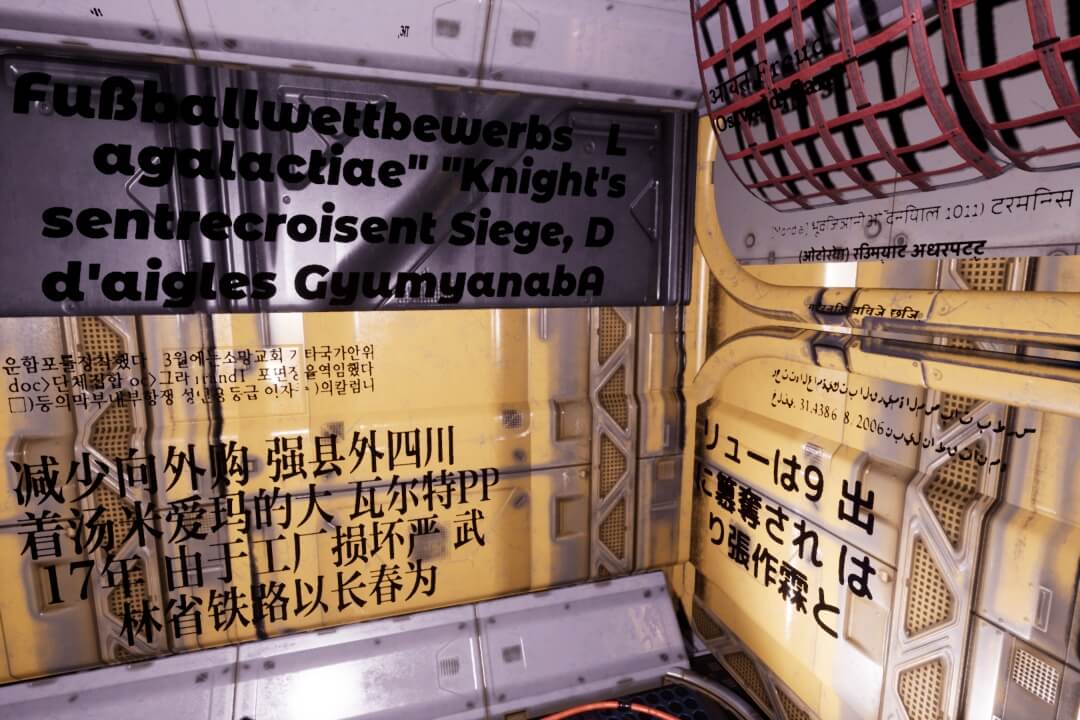
{
    "imgfile": "imgs/15.jpg",
    "bbox": [[772, 225, 807, 221, 806, 233, 771, 237], [811, 217, 888, 207, 886, 228, 810, 236],

......

, [815, 301, 857, 303, 855, 314, 814, 311], [862, 304, 894, 305, 891, 316, 860, 314], [900, 306, 931, 307, 927, 322, 897, 319]],
    "cbox": [[772, 226, 773, 226, 773, 236, 771, 237], [774, 226, 779, 225, 778, 234, 773, 235],

......

, [892, 309, 893, 309, 891, 316, 890, 316], [900, 306, 912, 306, 909, 318, 897, 317], [913, 306, 922, 307, 919, 318, 910, 318], [922, 311, 928, 311, 925, 321, 920, 320], [927, 320, 928, 320, 927, 322, 926, 322]],
    "text": ["[Mondial]", "\u092d\u0942\u0935\u093f\u091c\u094d\u091e\u093e\u0928\u0940\u0913\u0901", "\u0926\u0928\u093f\u092f\u093e\u0932", "1011)",

......

, "31,438", "6/8/2006", "\u0646\u0628\u064a\u0644", "\u0646\u0627\u0637\u0642\u062a\u0627\u0646", "\u0645\u0647", "\u092e\u0948\u091f\u0930\u0928\u093f\u0916", "\u0935\u093f\u091a\u0947\u091c", "\u091b\u093f\u091c\u093c"],
    "is_difficult": [0, 0, 0, 0, 0, 0, 0, 0, 0, 0, 0, 0, 0, 0, 0, 0, 0, 0, 0, 0, 0, 0, 0, 0, 0, 0, 0, 0, 0, 0, 0, 0, 0, 0, 0, 0, 0, 0, 0, 0, 0, 0, 0, 0, 0, 0, 0, 0, 0, 0, 0, 0, 0, 0, 0, 0, 0, 0, 0, 0, 0]
}
感觉只能处理一定的光照和透视,不是很好地适应模型表面的纹理。使用 Unicode 字符编码处理非拉丁文本。
可视化
写了个代码对这个数据集进行可视化,感觉 bbox 和 cbox 的属性是完全一样的?(有的数据集中 bbox 是按行分类,cbox 是按字分割)
import cv2
import os
import matplotlib.pyplot as plt
import json
import numpy as np

index = 93

image_dir = r'E:\dataset\UnrealText\sub_103\imgs\\'
label_dir = r'E:\dataset\UnrealText\sub_103\labels\\'

image_path = os.path.join(image_dir, str(index) + '.jpg')
label_path = os.path.join(label_dir, str(index) + '.json')

image_origin = cv2.imread(image_path)
image_bbox = image_origin.copy()
image_cbox = image_origin.copy()
height, width, _ = image_origin.shape

with open(label_path, 'r') as f:
    data = json.load(f)

    for i, b in enumerate(data['bbox']):
        points = np.array([b[i:i+2] for i in range(0, len(b), 2)])
        cv2.polylines(image_bbox, [points], isClosed=True, color=(255, 0, 0), thickness=2)
        for p in points:
            cv2.circle(image_bbox, (p[0], p[1]), int(min(height, width) / 150), (0, 255, 255), -1)
        cv2.putText(image_bbox, data['text'][i], (points[0][0], points[0][1] + int(min(height, width) / 50)), cv2.FONT_HERSHEY_SIMPLEX,
            min(height, width) / 1000, (255, 0, 255), int(min(height, width) / 500))

    for i, c in enumerate(data['cbox']):
        points = np.array([c[i:i+2] for i in range(0, len(c), 2)])
        cv2.polylines(image_cbox, [points], isClosed=True, color=(255, 0, 0), thickness=2)
        for p in points:
            cv2.circle(image_cbox, (p[0], p[1]), int(min(height, width) / 150), (0, 255, 255), -1)
        # cv2.putText(image_cbox, data['text'][i], (points[0][0], points[0][1] + int(min(height, width) / 50)), cv2.FONT_HERSHEY_SIMPLEX,
            # min(height, width) / 1000, (255, 0, 255), int(min(height, width) / 500))


fig, axes = plt.subplots(nrows=3, ncols=1, figsize=(32, 18))
axes = axes.flatten()

axes[0].imshow(cv2.cvtColor(image_origin, cv2.COLOR_BGR2RGB))
axes[0].axis('off')
axes[0].set_title('Origin')

axes[1].imshow(cv2.cvtColor(image_bbox, cv2.COLOR_BGR2RGB))
axes[1].axis('off')
axes[1].set_title('bbox')

axes[2].imshow(cv2.cvtColor(image_cbox, cv2.COLOR_BGR2RGB))
axes[2].axis('off')
axes[2].set_title('cbox')

plt.tight_layout()
plt.show()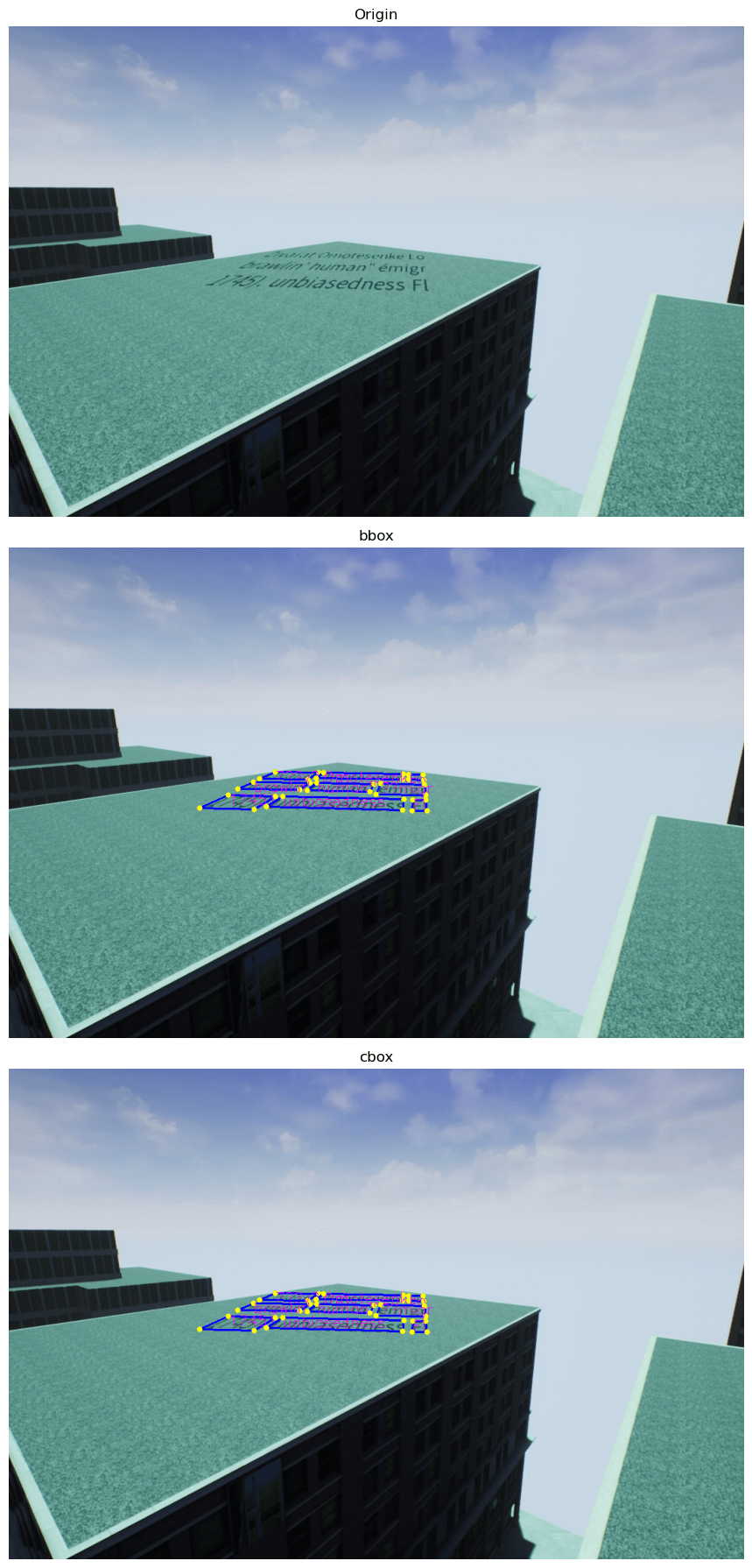
UE 演示项目
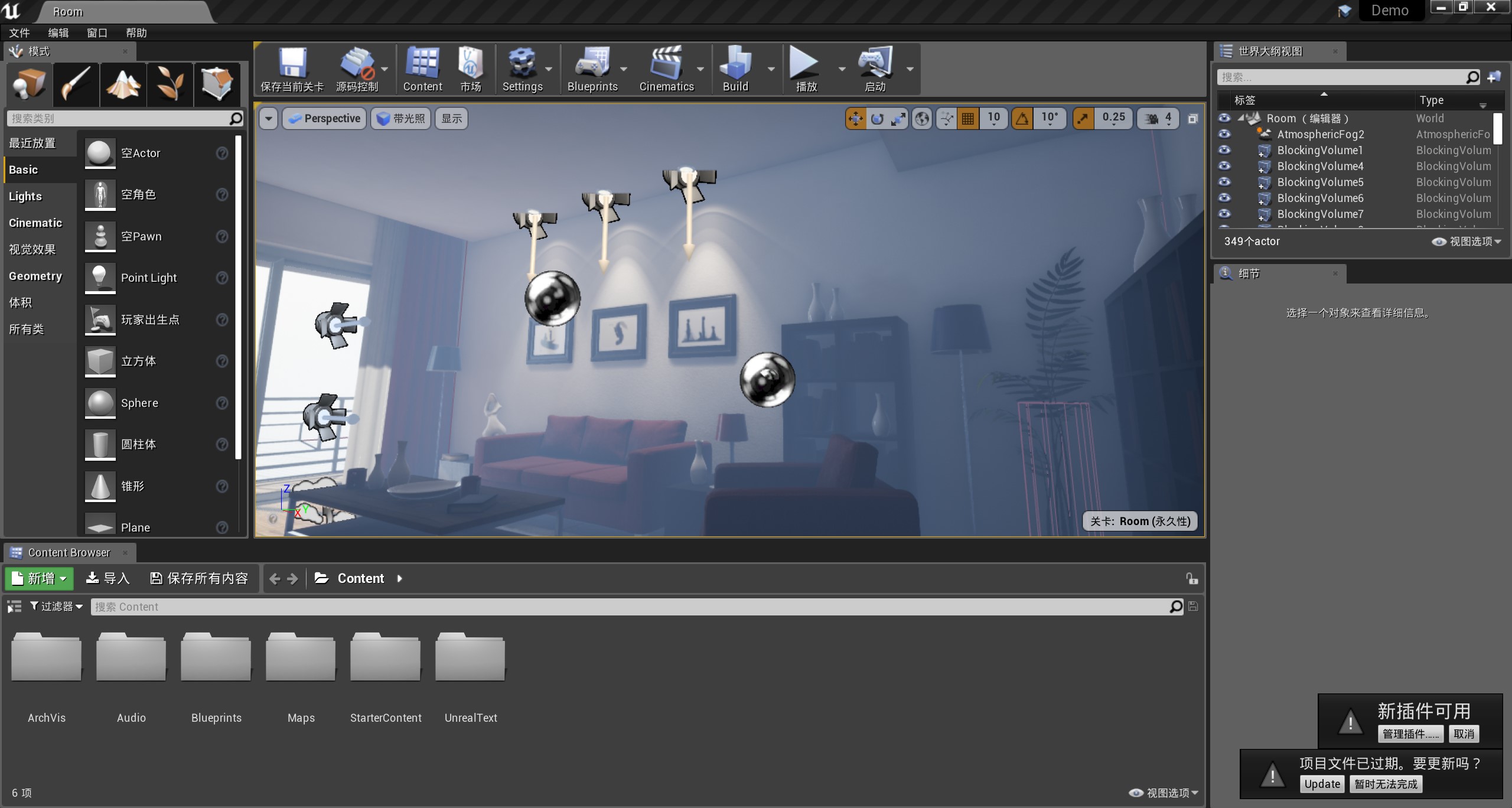
在 UE 4.22 中,加载:Demo/Demo.uproject
UE 文本资源

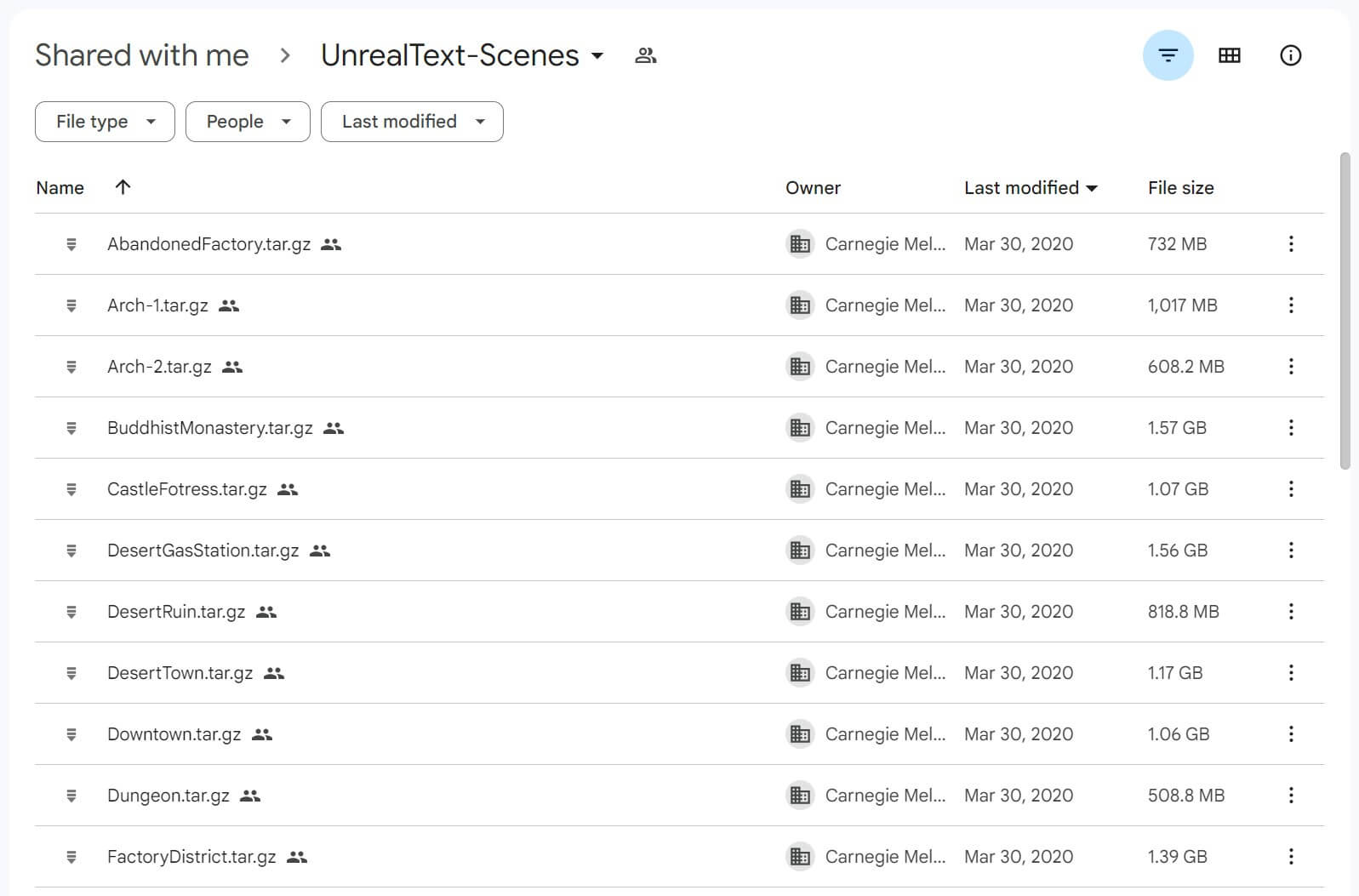
打包的场景可执行文件
笔记
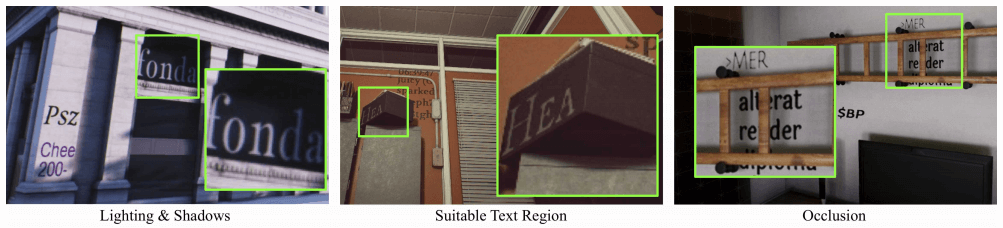
该引擎可以实现照片逼真的照明条件,找到合适的文本区域,并实现自然遮挡(从左到右,用绿色方块标记的放大视图)
真实数据成本太高昂了,合成数据是个好的替代品。可以提供更加详细的注释:例如字符级甚至像素级的 Ground Truth,真是太棒了!
有几种合成算法证明它在文字识别和检测上很好使:
目前为止,场景文本检测仍然严重依赖真实世界的数据,合成数据的作用微乎其微。作者认为之前的合成数据算法(在 2D 背景图像上嵌入文本,如 SynthText)存在局限性:
- 使用现成模型对背景图像的分析可能是粗略和不精确的,错误进一步传播到文本建议模块,并导致文本嵌入到不合适的位置
- 文本嵌入过程不知道整体图像条件,例如场景的照明和遮挡
提出的方案:文本实例 (text instances) 被视为平面多边形网格 (planar polygon meshes),其中文本前景 (text foregrounds) 加载为纹理 (texture)。这些网格被放置在 3D 世界中合适的位置,并作为一个整体与场景一起渲染。
这种方法的优越之处:
-
文本和场景一起渲染,实现了逼真的视觉效果,如照明、遮挡和透视变换
-
该方法可以访问精确的场景信息,例如法线、深度和对象网格,因此可以生成更好的文本区域建议。这些方面对训练 detectors 至关重要
我们这个方法嘞,它有 3 个组件:
- A view finding algorithm 一种视图查找算法,探索虚拟场景并生成相机视点,以获得更多样、更自然的背景
- An environment randomization 一个环境随机化模块,定期改变照明条件,以模拟真实世界的变化
- A mesh-based text region generation method 一种基于网格的文本区域生成算法,通过探测 3D 网格来为文本找到合适的位置
-
SynthText:[1604.06646] Synthetic Data for Text Localisation in Natural Images (arxiv.org)
- 提出通过在背景图像上打印文本来生成合成数据
-
- 使用语义分割来过滤不合理的表面,如人脸。采用了一种自适应的配色方案,使文本符合背景的艺术风格
-
GAN:好像在场景文本里都不好使
-
3D 图像引擎:目前好像没有在场景文本里应用的
SynthText3D 严格遵循 SynthText 方法的设计。
- SynthText 使用现成的计算机视觉模型来估计背景图像的分割和深度图
- SynthText3D 使用 3D 引擎提供的地面实况分割和深度地图
UnrealText 是在 UE4 和 UnrealCV 插件上开发的:
- 画质逼真
- 效率高(1~1.5 秒一张)
- 通用且兼容现成的 3D 场景模型
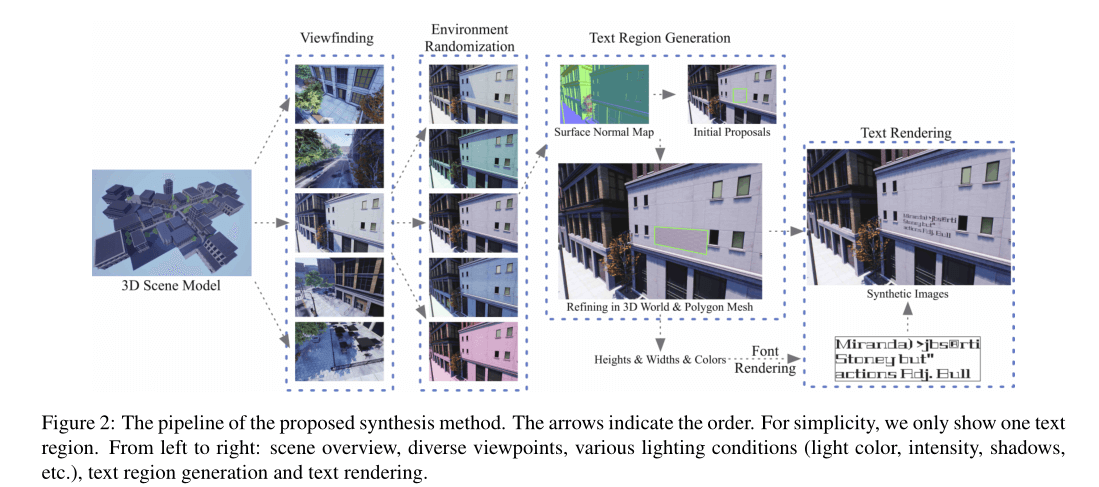
共有 4 个模块:
- Viewfinding 取景器
- 从 3D 场景的整个空间中自动确定一组合理且不平凡的相机位置和旋转,消除不合适的视点(如从物体网格内部)
- Environment Randomization 环境随机化
- 为了产生真实世界的变化,例如照明条件,我们随机更改场景中所有光源的强度、颜色和方向。添加雾条件并随即调整强度
- Text Region Generation 文本区域生成
- 通过探测三维世界中的对象网络来找到文本区域,检索 ground truth 法线图以生成初始文本区域提议
- 使用对象网格将初始建议投影到3D世界中并在其中进行细化
- 从细化的提议中抽取一个子集进行呈现
- Text Rendering 渲染文本
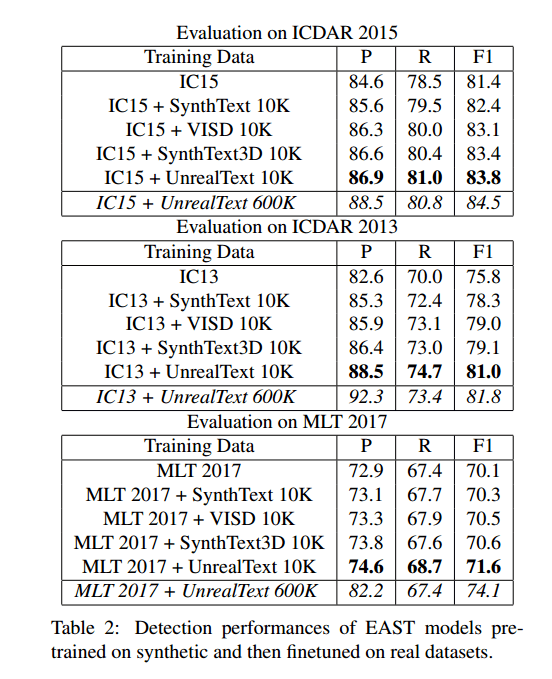
使用 EAST 作为训练对象,基准数据集:
- ICDAR 2013
- ICDAR 2015
- MLT 2017
实验方案:纯合成数据集
我们首先在不同的合成数据集上单独训练 EAST 模型,以直接和定量的方式将我们的方法与以前的方法进行比较。请注意,UnrealText、SynthText3D、SynthText 和 VISD 有不同数量的图像,因此我们还需要控制实验中使用的图像数量。
10 K 数量:
| Training Data | IC15 | IC13 | MLT 2017 |
|---|---|---|---|
| SynthText 10K | 46.3 | 60.8 | 38.9 |
| VISD 10K (full) | 64.3 | 74.8 | 51.4 |
| SynthText3D 10K (full) | 63.4 | 75.6 | 48.3 |
| UnrealText 10K | 65.2 | 78.3 | 54.2 |
完整数量:
| Training Data | IC15 | IC13 | MLT 2017 |
|---|---|---|---|
| SynthText 800K (full) | 58.0 | 67.7 | 44.8 |
| UnrealText 600K (full) | 67.8 | 80.6 | 56.3 |
实验方案:补充合成数据
所提出的 UnrealText 的一个独特特征是,图像是从 3D 场景模型生成的,而不是真实的背景图像,由于不同的艺术风格,导致潜在的领域差距。我们通过对 UnrealText 数据(5K)和 VISD 数据(5K)进行训练来进行实验,如表所示,这比其他 10K 合成数据集实现了更好的性能。
UnrealText 和 VISD 的组合也优于 SynthText3D 和 VISD 组合。这一结果表明,我们的虚幻文本是对现有的使用真实图像作为背景的合成数据集的补充。虽然虚幻文本模拟照片逼真的效果,但具有真实背景图像的合成数据可以帮助适应真实世界的数据集。
| Training Data | IC15 | IC13 | MLT 2017 |
|---|---|---|---|
| SynthText3D 5K + VISD 5K | 65.4 | 78.6 | 55.2 |
| UnrealText 5K + VISD 5K | 66.9 | 80.4 | 55.7 |
实验方案:结合合成数据和真实数据 合成数据的一个重要作用是作为预训练的数据,并进一步提高特定领域真实数据集的性能。我们首先用不同的合成数据对 EAST 模型进行预训练,然后使用领域数据对模型进行微调。
实验方案:在完整数据集上预训练 当我们用完整数据集预训练检测器模型时,性能显著提高,证明了我们引擎的可扩展性优势。特别是,EAST 模型在 MLT17 上获得了 74.1 的 F1 分数,这甚至比最近的最先进的结果更好,包括 CRAFT 的 73.9 和 LOMO 的 73.1。尽管差距不大,但可以声称 EAST 模型在我们的合成数据集的帮助下恢复了最先进的性能。
运行
准备一个 Unreal 4.22:
从 unrealcv/unrealcv at 4.22 (github.com) 下载 UnrealCV 源码(4.16 以上版本没有 Release 的下载,要自行编译,仓库里一定要选择 4.22 版本的,不然会寄):

命令行下编译 UnrealCV 插件:
conda create -n unreal python=3.9
conda activate unreal
cd 下载仓库的目录
python build.py
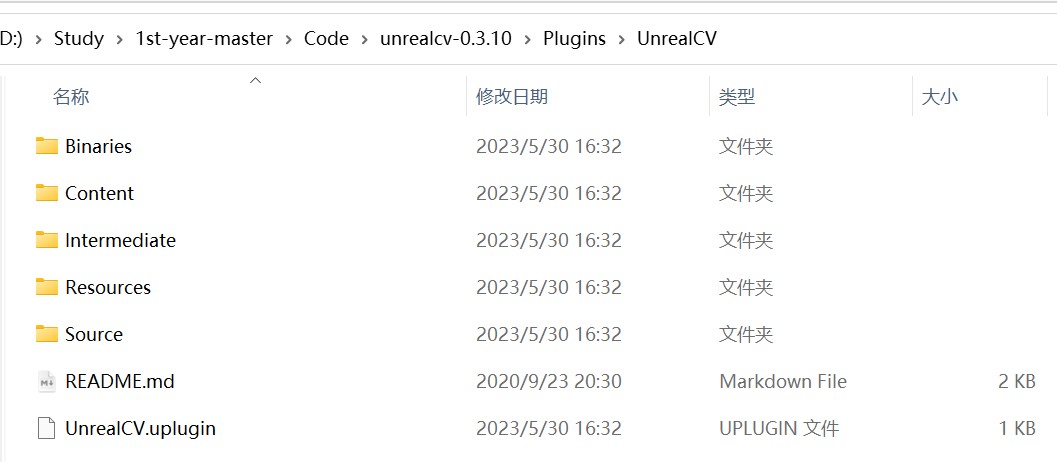
编译得到文件:
BUILD SUCCESSFUL
AutomationTool exiting with ExitCode=0 (Success)
从 Link 下载得到演示项目:DemoProject.tar_5.gz,解压得到 Demo Project:
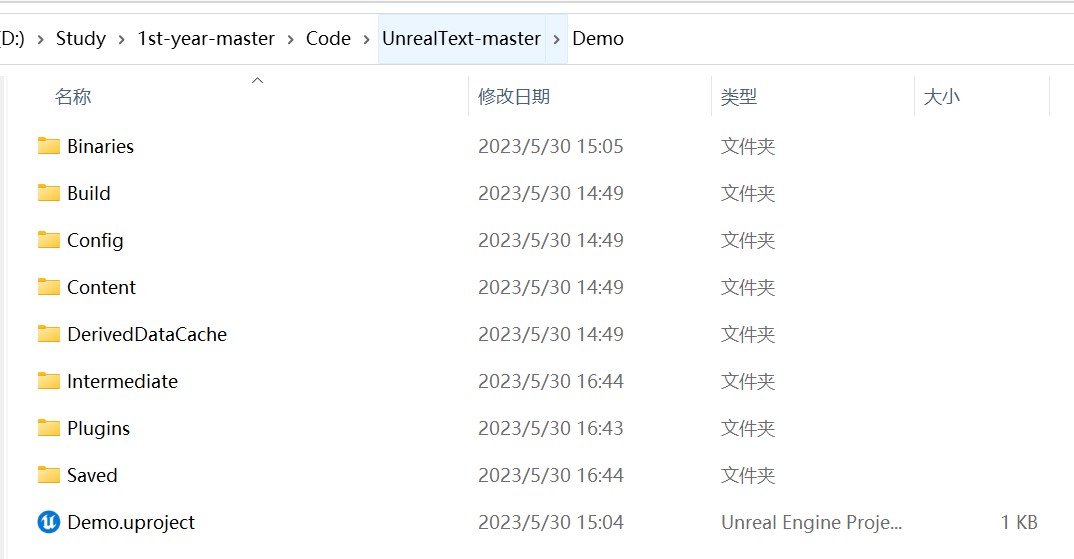
进 Plugins,把之前编译好的 UnrealCV 插件替换过去。
可以进项目了!